Why Use MatDeck’s TCP GUI Builder?
MatDeck simplifies TCP socket communication with a visual, no-code interface. Whether you're building instrumentation panels, SCADA systems, lab automation, or IoT dashboards — connect devices over TCP without writing a single line of code.
✅ Zero-Code GUI Design
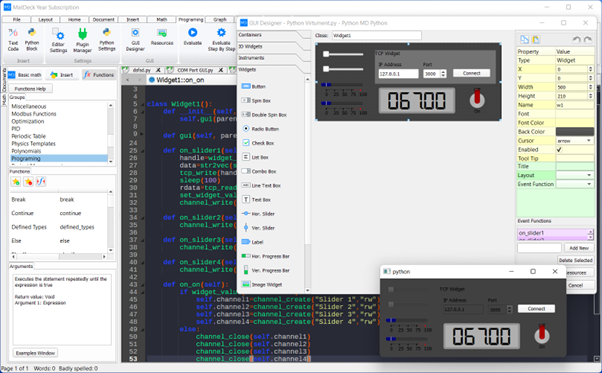
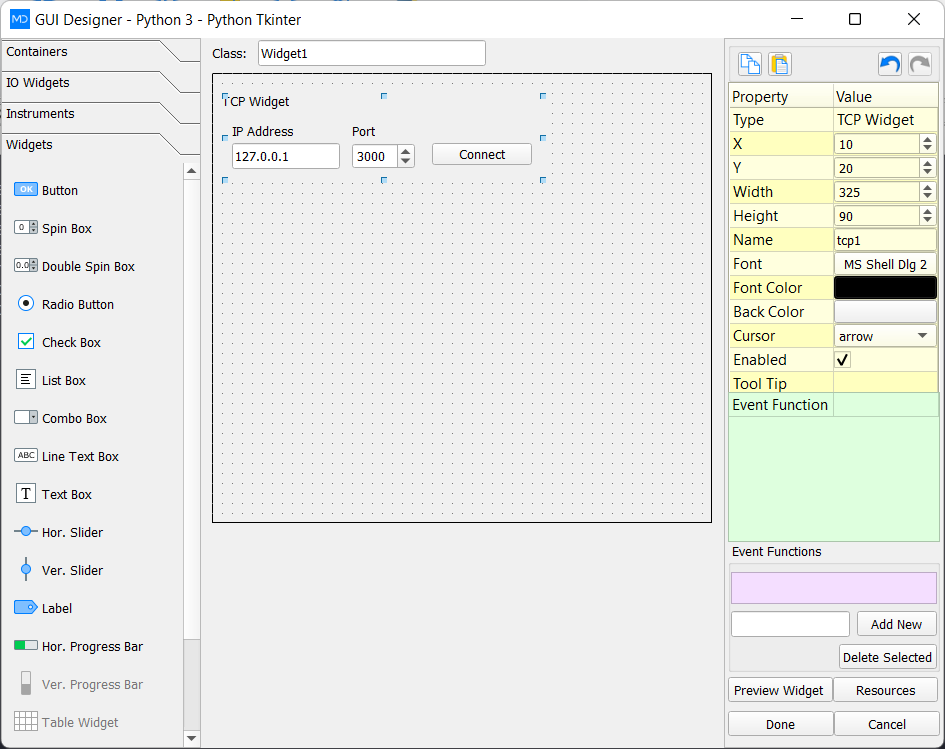
Drag and drop the TCP GUI Template into MatDeck’s GUI Designer. Configure host, port, and behavior visually — code is auto-generated.
⚡ Python & C Integration
Use built-in MD Script or embed native Python/C logic. Full access to MatDeck’s TCP library with simple, readable syntax.
🔌 Real-Time Communication
Build clients, servers, or peer-to-peer apps. Send/receive data, control hardware remotely, and visualize live streams in dashboards.
How It Works
- Drag the TCP GUI Widget into your MatDeck document.
- Configure IP, port, mode (Server/Client), and connection behavior.
- Connect instruments, plots, or logic blocks to send/receive data in real time.
- Deploy as standalone EXE or multiplatform web app (with Flet/Web support).
Simple Yet Powerful TCP Functions
MatDeck’s MD Python Library gives you concise, high-level TCP functions — ideal for rapid prototyping and production systems.
chan = md.channel_tcp("server", 5000)
md.channel_connect(chan)
data = md.channel_read(chan, 1024)
md.channel_write(chan, "ACK")
md.channel_close(chan)
Also supports: channel_tcp_client(), channel_tcp_server(), event-driven callbacks,
and multi-socket management.

Use Cases
- 🔬 Lab instrument control & remote data acquisition
- 🏭 SCADA systems with real-time monitoring dashboards
- 📡 IoT device communication gateways
- 🧪 Distributed sensor networks (e.g., vibration, temperature, PPG)
- 🎮 Multi-window GUI apps with inter-process communication
Ready to Build Your TCP App?
Empower your innovation — no deep networking expertise needed.
Explore MatDeck Plans View Examples